 blog
Ciphr Alternative for Mid-Sized SaaS: 2026 Evaluation Guide
Table of Contents
- Why Mid-Sized SaaS Teams Outgrow Ciphr
- What HR Software for SaaS Companies Needs to Handle
- An HR Software Evaluation Checklist for Ciphr Alternative Searches
- HR Software for Mid-Sized Companies: Matching Tools to Your Stage
- Comparing the Shortlist: Pros, Cons, and Pricing Reality
- HR Software Implementation Planning and Migration From Ciphr
- Where Pilot AI Fits in a Scaling SaaS Stack
- Frequently Asked Questions
Last Updated: October 17, 2026
Why Mid-Sized SaaS Teams Outgrow Ciphr
Searching for a Ciphr alternative usually starts with a specific frustration: the system works, but it no longer fits the way your SaaS company hires and grows. This guide from Pilot AI explains how to evaluate a ciphr alternative for mid-sized saas teams without overbuying or ripping out tools your managers already know.
Ciphr is a well-established UK HR and payroll platform. It handles core HR records, payroll, absence, and reporting for organizations that want one system of record. That strength becomes a constraint once your headcount climbs and your growth depends on how fast you respond to applicants.
Signs Your Current HR System Is Holding You Back
A common mistake is blaming the HR team for slow hiring when the real bottleneck is the stack. Watch for these signals:
- Recruiters copy candidate details between your ATS and your HR system by hand.
- Hiring managers review applicants days after they apply, and good candidates accept other offers first.
- Onboarding checklists live in spreadsheets because the HR platform was never built for high-volume hiring.
- Reporting on time-to-hire means exporting data and rebuilding it every month.
None of these are fatal on their own. Together, they mean your HR software is recording history while your recruiting process runs somewhere else.
What HR Software for SaaS Companies Needs to Handle
HR software for SaaS companies must cover three jobs at once: keeping employee records accurate, responding to applicants quickly, and giving managers a process they will actually follow. Most mid-market platforms cover the first job well. The second is where teams stall.
Recruiting Speed and Candidate Follow-Up
The real difference between platforms comes down to what happens in the first 24 hours after an application lands. A qualified applicant who hears nothing for a week is gone, and no amount of reporting fixes that.
Look for software that sends an immediate acknowledgment, asks screening questions, and offers interview slots without a recruiter touching the thread. The team should be able to see every open conversation in one place, then step in for the final decision.
That division of labor matters: AI handles the repetitive back-and-forth, and humans make hiring decisions. Any vendor that blurs that line is selling you something you cannot audit.
An HR Software Evaluation Checklist for Ciphr Alternative Searches
An HR software evaluation checklist keeps the shortlist honest. Score every option against the same criteria so the decision rests on evidence rather than a polished demo.
Use this checklist in each demo:
- Does it respond to applicants automatically, including after hours?
- Can you customize screening questions by role and location?
- Does interview scheduling sync with manager calendars?
- Are reminders and follow-ups automatic, or manual?
- Can you export a clean time-to-hire report without a spreadsheet?
- What does migration from your current system involve, and who owns it?
- What support is included, and what response time is promised?
- Can you exit the contract without penalty if it does not fit?
HR Software for Mid-Sized Companies: Matching Tools to Your Stage
HR software for mid-sized companies should match your stage, not the enterprise brochure. A 60-person SaaS firm and a 400-person scale-up need very different things, and buying for the size you hope to be wastes budget and training time.
| Company Stage | Headcount | Priority | What to Avoid |
|---|---|---|---|
| Early growth | 50-150 | Fast applicant response, simple scheduling | Heavy enterprise suites |
| Scaling | 150-350 | Screening consistency, manager workflows | Tools requiring a dedicated admin |
| Established mid-market | 350-500 | Reporting, onboarding, performance tracking | Systems with no exit path |
At the early stage, speed wins. At the scaling stage, consistency wins. Once you pass a few hundred employees, reporting and onboarding become the deciding factors.
Comparing the Shortlist: Pros, Cons, and Pricing Reality
Comparing the shortlist means separating platform types rather than brand names, then scoring each option against the same weighted criteria.
Full HR suites cover payroll, records, and benefits in one place. They are strong as a system of record, but recruiting is often a secondary module with limited automation.
Applicant tracking systems focus on the hiring pipeline.
AI recruiting and workflow tools concentrate on response speed, screening, and scheduling.
Enterprise HCM platforms offer depth you will not fully use at 200 employees, and implementation timelines reflect that.
A Weighted Scorecard for Mid-Sized SaaS Teams
Most comparison articles stop at a feature list. A weighted scorecard forces the shortlist to reflect your actual priorities. Assign weights that total 100, then score each vendor from 1 to 5 on every criterion. The example below is hypothetical and should be adjusted to your team.
| Criterion | Example Weight | What to Score |
|---|---|---|
| Applicant response speed | 20 | Automatic acknowledgment, after-hours coverage, screening questions |
| Interview scheduling | 15 | Calendar sync, reminders, rescheduling without recruiter involvement |
| HR system of record fit | 15 | Payroll, records, and benefits coverage or clean integration |
| SaaS-specific workflows | 10 | Rapid headcount growth, distributed teams, org changes |
| Integrations and API | 10 | Identity, finance, collaboration, recruiting, analytics |
| Implementation effort | 10 | Migration support, parallel-run plan, timeline |
| Reporting and visibility | 10 | Time-to-hire, pipeline, manager dashboards |
| Support and exit terms | 10 | Response time, contract flexibility, data portability |
Run the scorecard twice: once with your current headcount and once with your projected headcount 18 months out. If the ranking flips, you are buying for a stage you have not reached yet, and that is usually a sign to favor the lighter option.
Pricing Reality Without the Guesswork
Pricing for any category depends on headcount, modules, and contract terms. Ask each vendor for a total cost of ownership figure that includes implementation, support, and any per-hire fees, and ask what changes at your next headcount band. We do not publish list prices for Pilot AI because quotes depend on your team size and requirements; request a quote for current numbers.
HR Software Implementation Planning and Migration From Ciphr
HR software implementation planning decides whether the switch pays off. A migration that runs long drains manager goodwill before the tool has proven anything. Most comparison articles treat migration as a footnote; for a mid-sized SaaS company with distributed teams and frequent org changes, it is the part that determines whether the switch succeeds.
A Four-Phase Migration Plan With Owners
Plan the migration in four phases, and name an owner for each. The owner is usually your HR lead, with a technical partner from IT or operations.
- Export and clean (owner: HR lead). Pull employee records, org structure, and open roles from Ciphr. Fix duplicates before anything moves. Distributed teams often have stale location and manager fields, so reconcile those first.
- Map the fields (owner: HR lead + IT). Decide which fields carry over, which get archived, and which you will stop tracking. Document the mapping so you can audit it later.
- Run in parallel (owner: operations lead). Keep Ciphr live for payroll and records while the new recruiting workflow handles live roles. Run at least one full hiring cycle in parallel before retiring anything.
- Retire in stages (owner: HR lead). Switch off old modules only after one clean reporting cycle. Keep an export of historical data before you cancel.
A common mistake is migrating everything at once. Keep payroll and statutory records in a proven system until the new workflow has run through at least one full hiring cycle.
Payroll Continuity and Employee Communications
Payroll is the part of migration that cannot slip. Confirm with your payroll provider how a mid-cycle change is handled, and schedule the cutover to land between pay runs rather than inside one. For distributed teams, confirm local payroll and multi-entity support before you commit, since a single-entity assumption breaks quickly once you hire in a second country.
Employee communications matter as much as the technical cutover. A short, plain-language note explaining what changes, what stays the same, and who to ask avoids the rumor cycle that slows adoption. Managers need a one-page guide to the new hiring workflow, not a full training deck.
SaaS-Specific Migration Concerns
Mid-sized SaaS companies bring migration issues that general HR guides miss:
- Rapid headcount growth. If you are hiring faster than you can migrate, run the new recruiting workflow first and migrate records in batches by department.
- Frequent org changes. Manager and team fields change often; decide whether you will track history or only current state before you map fields.
- Distributed and remote teams. Confirm time zones, local payroll, and multi-entity support before you sign, not after.
- Integrations. List the systems your HR platform must connect to (identity, finance, collaboration, analytics) and confirm API availability and workflow automation during the demo.
If you want to know where your process leaks time before you migrate, get a Free Recruiting Audit. We review applicant response, follow-up, scheduling, and potential recruiting bottlenecks, then show you what to fix first. We do not guarantee hiring outcomes or savings; the audit shows you where the delays are.
Where Pilot AI Fits in a Scaling SaaS Stack
Pilot AI fits beside your HR system of record, not on top of it.
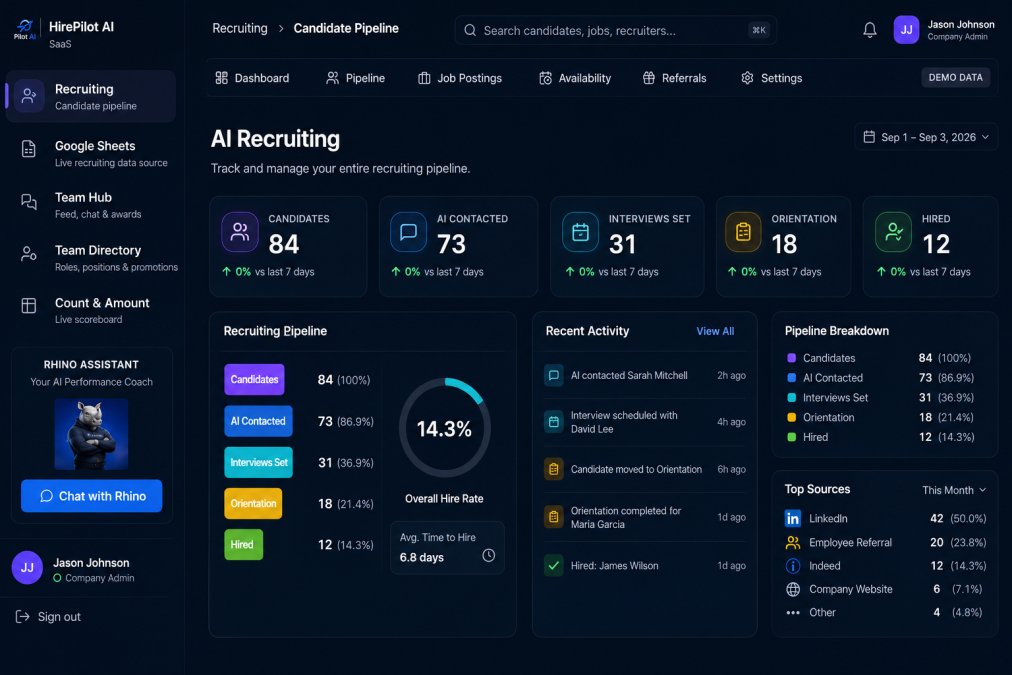
Here is how the process works in practice. An applicant responds to your posting, and our AI handles the follow-up, screening questions, and scheduling, then routes the thread to your team.
Our platform covers integrated recruiting solutions, automated training capabilities, and performance tracking systems, so the same workflow that speeds up hiring also supports onboarding and manager reviews.
If you want to know where your process leaks time, get a Free Recruiting Audit. We review applicant response, follow-up, scheduling, and potential recruiting bottlenecks, then show you what to fix first.
Frequently Asked Questions
What are the best alternatives to Ciphr for a mid-sized SaaS company?
There is no single best Ciphr alternative. Mid-sized SaaS teams typically shortlist platforms that cover recruiting, onboarding, and performance tracking in one place, then score each option against an HR software evaluation checklist. Pilot AI is one option to include: it combines AI-assisted applicant response, interview scheduling, and performance tracking. Compare two or three vendors on integrations, implementation time, and support before deciding, and request quotes directly since pricing depends on team size and scope.
What features should mid-sized companies look for in an HR system?
Prioritize features that match your growth stage: applicant tracking with automated follow-up, interview scheduling, onboarding workflows, employee records, and performance reviews. For HR software for mid-sized companies, also check manager self-service, reporting, and integrations with your existing tools. Ask vendors to demonstrate each workflow live rather than relying on feature lists, and confirm which capabilities are generally available versus planned.
How do you plan an HR software implementation when migrating from Ciphr?
Start with HR software implementation planning before you sign anything. List the data you need to move (employee records, open roles, historical reviews), assign an internal owner, and agree a phased timeline: data export, cleanup, import, testing, then go-live. Ask each vendor for a written migration plan and confirm who handles the data transfer. Keep your current system running in parallel until the new one is verified, and train managers on the workflows they will use daily.
How can a company assess whether it has outgrown its HR system?
Watch for practical friction: hiring managers chase candidates manually, scheduling takes multiple back-and-forth emails, reporting requires spreadsheets, and new tools cannot connect to your HR platform. If your team size has grown and admin work scales with every hire, it is worth evaluating alternatives. Run a short audit of applicant response times, follow-up rates, and scheduling delays to see where the bottlenecks actually sit before switching systems.
The challenge with any Ciphr alternative search is separating a recruiting problem from a records problem. If your HR system of record works and your hiring is slow, fix the response and scheduling layer first. Pilot AI handles applicant conversations, screening, and interview scheduling while your team keeps control of every hiring decision. Get a Free Recruiting Audit from Pilot AI and see exactly where your recruiting process loses time.