
 How-to
How to Track Applicants Without a Full HR Team
Last Updated: November 22, 2026
Quick Summary
Applicant tracking is the practice of recording, following, and organizing each candidate from first contact to a hiring decision. Without an HR team, you can start with a shared spreadsheet, a written screening rubric, and a one-business-day acknowledgment for every application. Move to an applicant tracking system once you have several open roles at once.
- Acknowledge every application within one business day, even before you review it.
- Write three to five must-have criteria as observable facts before opening any resume.
- Score every applicant on the same three-point rubric to keep comparisons fair.
- Batch screening into two fixed sessions per week to avoid inconsistent standards.
- Assign one named owner to keep the tracker updated and candidates moving.
Table of Contents
- Why Applicant Tracking Matters When You Have No HR Team
- What an Applicant Tracking System Does for a Small Hiring Team
- Choosing an Applicant Tracking System by Hiring Volume and Team Capacity
- Screening Applicants Without an ATS: A Simple Workflow
- Step 1: Write the screening criteria before you open the first resume
- Step 2: Acknowledge every application within one business day
- Step 3: Score each applicant against the same rubric
- Step 4: Shortlist and schedule a consistent first conversation
- Step 5: Close the loop and record the outcome
- A worked example (hypothetical)
- Using AI in Candidate Screening and Scheduling
- Building an Applicant Tracking Template You Can Reuse
- Booking Your Free Recruiting Audit to Find Your Bottlenecks
- Frequently Asked Questions
Why Applicant Tracking Matters When You Have No HR Team
Without an HR department, applicant tracking often lives in inboxes, spreadsheets, and sticky notes. Applicant tracking is the practice of recording, following, and organizing each candidate from first contact to a hiring decision (Applicant Tracking System (ATS): Streamline and Organize the Hiring Process Efficiently).
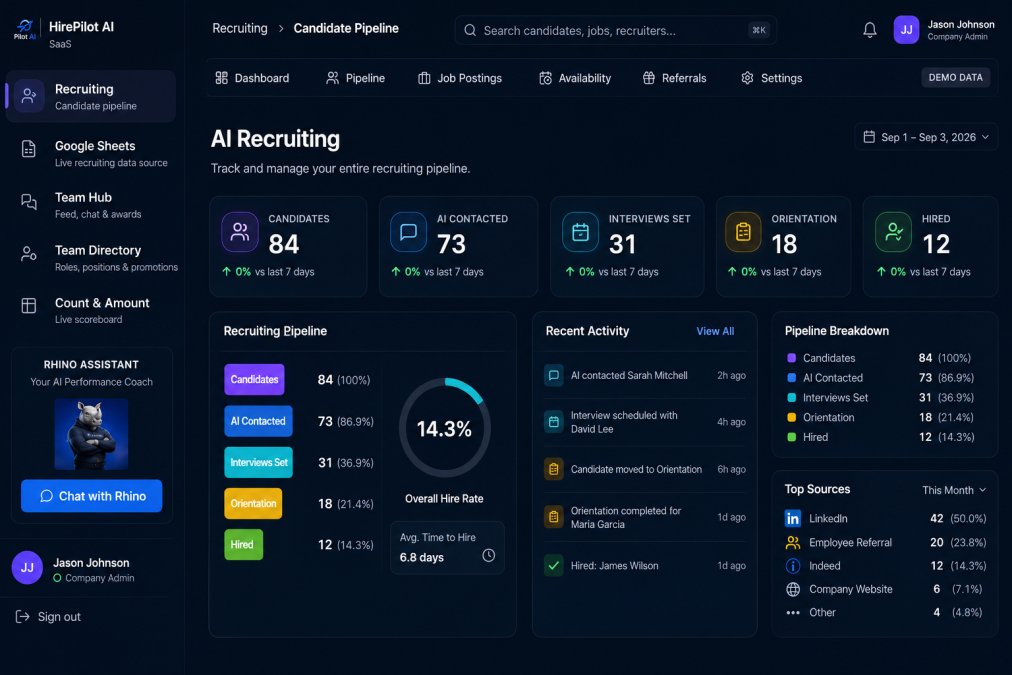
Applicants expect fast replies, and many move on after waiting days. A simple tracking system helps you answer quickly, remember who you have spoken to, and avoid dropping strong candidates.
A solid starting point is to ask three questions:
- Does every applicant get an acknowledgment within one business day?
- Can you see, in one place, where each candidate stands?
- Could a colleague pick up the process if you were out for a week?
If the answer to any of these is no, your hiring process needs structure, whatever your headcount.
What an Applicant Tracking System Does for a Small Hiring Team
An applicant tracking system, or ATS, is software that stores candidate records, tracks each applicant through hiring stages, and keeps communication and notes in one place.
A typical ATS for a lean team does four things well:
- Collects applications from job postings or a careers page.
- Organizes candidates by role and stage, such as New, Screened, Interview, Offer, and Hired.
- Stores notes and resumes so anyone on the team can review history.
Some systems add automation, such as reminders when a candidate has been waiting too long.
Be careful about expecting an ATS to do the judging for you. Humans still make hiring decisions. The system's job is to keep the process moving and the records accurate.
Choosing an Applicant Tracking System by Hiring Volume and Team Capacity
The right system depends on how many people you hire, how many roles are open at once, and how much time your team can spend administering software.
Match the tool to your situation:
| Situation | What to look for | Common fit |
|---|---|---|
| Hiring a few people a year | Free or low-cost plan, simple candidate list | Basic free ATS or structured spreadsheet |
| Several open roles at once | Multiple pipelines, shared notes, email templates | Small-business ATS with team access |
| Frequent high-volume hiring | Automated responses, scheduling, reminders | ATS with automation and calendar integration |
| Hiring with HR software already in place | Integration with your HRIS | ATS that connects to your existing system |
Pricing varies between vendors and changes over time, so compare current plans directly on each vendor's website before you decide. Our current comparison of recruiting software for startups covers options built for small teams.
Questions to Ask Before You Buy
Before you commit to any system, ask:
- How many active roles can I run at once on this plan?
- Can I set up a pipeline in an afternoon, without a consultant?
- Who can see candidate data, and can I control access?
- How long are candidate records kept, and can I delete them?
- What happens to my data if I cancel?
- Does it connect to the calendar and email tools my team already uses?
- Can I export my data in a usable format?
Test each tool with a real role before you commit. You can also see how an HR automation software demo handles a live pipeline before deciding. Most vendors offer trials or free tiers, so you can see whether the workflow fits how your team actually works.
Screening Applicants Without an ATS: A Simple Workflow
You do not need software to start tracking applicants properly. A clear workflow in a shared spreadsheet or document can carry a small team for a while, as long as every candidate moves through the same steps and every step is recorded. The process below runs in a spreadsheet today and moves into an ATS later without redesigning it.
Step 1: Write the screening criteria before you open the first resume
List three to five must-have requirements for the role, plus two or three nice-to-haves. Write them as observable facts, not impressions. "Holds a valid driver's license and can start within two weeks" is observable. "Good attitude" is not. For a field sales role, the must-haves might be territory experience and a clean driving record; for a dental office, current certification and scheduling-software familiarity; for a cleaning company, reliable transportation and availability on the shift you actually need covered.
Keep the list to one page. If everything is a must-have, nothing is.
Step 2: Acknowledge every application within one business day
A short template works: confirm receipt, state the expected timeline, and thank the candidate. Send it the same day the application arrives, even if you will not review it until later in the week. Speed of acknowledgment is one of the few parts of hiring you fully control, and it keeps strong candidates from accepting a competing offer before you have opened their resume.
Step 3: Score each applicant against the same rubric
Build a simple scoring sheet with one row per candidate and one column per criterion. Use a three-point scale, meets, partially meets, does not meet, and add a one-line note for any score below "meets." Score every applicant on the same criteria in the same order.
A common pattern is to batch screening into two fixed sessions per week rather than reviewing resumes as they arrive. Batching reduces the drift that happens when you score one candidate on Monday and another on Friday with different standards in your head.
Step 4: Shortlist and schedule a consistent first conversation
Move qualified candidates to a phone or video screen. Log the date and time of each conversation, and ask every shortlisted candidate the same core questions so you can compare answers fairly. For a home services role, that might be availability, travel radius, and comfort with the tools on the truck; for a sales role, how they handle a stalled deal.
Step 5: Close the loop and record the outcome
Send an offer or a rejection to every candidate who reached a stage, and record the outcome plus a one-line reason. If a candidate asks why they were not selected, you should be able to answer from the rubric, not from memory.
A worked example (hypothetical)
A cleaning company with two open crew-lead roles receives 34 applications over ten days. The office manager writes four must-haves (reliable transportation, weekend availability, prior crew experience, ability to lift equipment), scores each applicant on the three-point scale in two Tuesday/Thursday batches, and shortlists nine. She runs 15-minute phone screens with the same five questions, moves four to a working interview, and sends a templated rejection to the other five within two days of the decision.
Watch out: if you skip the written rubric and screen from memory, you will unconsciously favor candidates who resemble your last good hire, exactly the bias a structured process is meant to remove. Audit a sample of your rejections each quarter to confirm qualified people are not being filtered out.
When you do move to an ATS, this rubric can become the screening-question set and the scorecard inside the tool.
Using AI in Candidate Screening and Scheduling
AI tools can handle repetitive parts of hiring: sending acknowledgments, answering routine questions, and proposing interview times. For a deeper walkthrough, see automating high-volume recruitment.
An applicant responds, the AI helps manage the conversation and scheduling, the team tracks progress, and people make the hiring decisions.
Keep a few guardrails in place:
- Use written, job-related criteria for any automated screening.
- Review a sample of rejected applications to check that qualified people are not being filtered out.
- Disclose automation to candidates where your jurisdiction or industry requires it, and check current rules with a qualified adviser.
Bias in automated screening is a real concern. Criteria that look neutral can still screen out qualified people, so audit results regularly.
Building an Applicant Tracking Template You Can Reuse
A reusable template turns good intentions into a repeatable process. Set it up once, then copy it for each new role. This section covers the full lifecycle, opening a role, running the pipeline, closing it out, plus the privacy and access questions a lean team must answer without HR or IT support.
The fields every template needs
Your template should include these columns or fields:
- Candidate name and contact details
- Role applied for and date received
- Source (job board, referral, careers page)
Pair the tracker with two or three email templates: an application acknowledgment, an interview invitation, and a rejection. Keep them short, polite, and specific about next steps. A candidate who knows where they stand is far less likely to chase you for updates.
Opening a role: the first 30 minutes
Before you post, do four things in the template:
- Create a new tab or copy of the template named for the role and the date it opened.
- Paste in the screening rubric from your criteria list so every reviewer scores against the same standard.
- Set the pipeline stages, for a lean team, New, Screened, Interview, Offer, and Closed is usually enough. Add a stage only if a real decision happens there.
- Assign an owner. One named person is responsible for responding to applicants and moving the pipeline each week. Without a named owner, the tracker quietly goes stale.
Running the pipeline week to week
Block 20-30 minutes once or twice a week to update the tracker: log new applications, record screening scores, note the date of last contact, and set the next step for every active candidate. The most useful column is "date of last contact", it tells you at a glance who has been waiting too long. A common pattern is to flag any candidate who has not heard from you in five business days.
Closing a role: offer, rejection, and cleanup
When the role closes, do three things:
- Record the outcome for every candidate who reached a stage, with a one-line reason.
- Send final messages to everyone still in the pipeline, an offer, a hold, or a rejection.
- Set a retention date on each record and note where the data lives. Decide now when you will review or delete it, rather than leaving old resumes in a shared folder indefinitely.
Privacy, access, and retention for a team with no HR or IT support
Lean teams often handle candidate data with no dedicated HR or IT staff, which makes a few simple controls worth setting up early:
- Limit access to people who need it. Share the tracker with the hiring manager and interviewers only, not the whole company. If your tool supports roles or permissions, use them; if you are on a spreadsheet, use a restricted shared drive rather than an open link.
- Keep candidate data in one place. Resumes scattered across personal inboxes are hard to secure and hard to delete. Route applications to a single shared location.
- Set a retention habit. Decide how long you keep records for candidates who were not hired, many organizations align this with local employment-law guidance, and put the review date in the tracker so it does not depend on memory.
Review the template after each hire
Ask which fields nobody filled in and which steps caused delays. Remove anything you do not use, and add what you wished you had tracked. A template that survives three hires without edits is probably too complicated; one that changes slightly each time is doing its job.
Booking Your Free Recruiting Audit to Find Your Bottlenecks
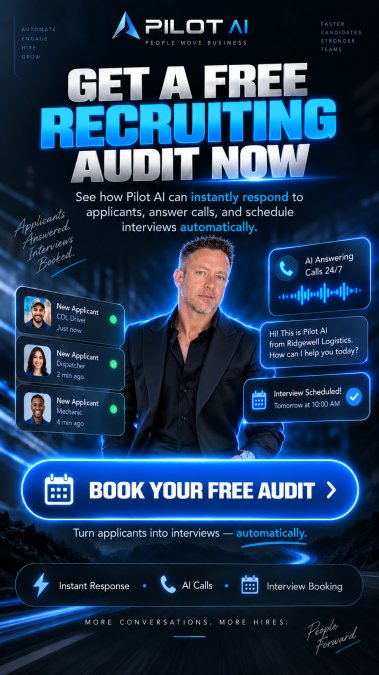
If you have mapped your hiring workflow and still cannot tell where candidates stall, a second set of eyes can help. You can request a Get a Free Recruiting Audit that reviews your applicant response, follow-up, and scheduling bottlenecks.
The audit is a review, not a guarantee. It can show you where time is lost, but it cannot promise faster hires, lower costs, or better results.
Ready to see where your process slows down? Get a Free Recruiting Audit with PilotAI and find the bottlenecks that cost you candidates.
Frequently Asked Questions
Can a small business track applicants without a full HR team?
Yes. A small business can track applicants with a shared spreadsheet, a simple pipeline with stages such as applied, screened, interviewed and offered, and a calendar for scheduling. Assign one owner for each open role, decide who reviews resumes and when, and record every decision in one place. As applicant volume grows, an applicant tracking system can replace the spreadsheet by handling status updates, reminders and candidate communication. Humans still make the final hiring decisions.
How do you screen resumes when you don't have a full ATS?
Start with a short list of must-have criteria for the role, then score each resume against those criteria using the same rubric every time. Use a spreadsheet column for each criterion and a yes, no or maybe rating. Review applicants in batches on a fixed schedule, and move qualified candidates to a shortlist tab. Consistent criteria and a written record of decisions make screening fairer, even when time is limited.
What should a small business look for in an applicant tracking system?
Look for a system that fits your hiring volume, your number of active roles and the people who will use it. Check ease of setup, how candidates are managed through each stage, resume screening features, reminders, interview scheduling and user access controls. Ask how candidate data is stored and who can see it. Confirm current pricing directly with each vendor, since plans and limits change.
How can AI help with applicant screening and interview scheduling?
AI tools can help with parts of this work, such as answering routine applicant questions and proposing interview times, which can reduce back-and-forth email. Your team still reviews applications, decides who advances and makes the hiring call. Review AI-assisted screening regularly to check that it is not excluding qualified candidates.