 Comparison
7 Ciphr Alternatives for Mid-Sized Companies
Last Updated: November 1, 2026
Quick Summary
The best ciphr alternatives for mid-sized companies depend on whether your bottleneck is core HR records or recruiting throughput. Pilot AI handles applicant response, screening, scheduling, and follow-up for 20-500 employees, while UKG Pro, Personio, and Zoho People cover core HR and payroll. Many mid-sized firms run both a core platform and a recruiting layer.
- Pilot AI fits 20-500 employees where recruiting throughput is the bottleneck, not payroll.
- UKG Pro suits 250+ employees with layered structures and dedicated HR staff.
- Personio fits 100-500 employees with predictable hiring volume, but scheduling still leans manual.
- Score each vendor on the same weighted checklist before seeing any demo.
- Request a free recruiting audit to find where candidates drop out before you commit.
Table of Contents
- Why Mid-Sized Companies Look Beyond Ciphr
- Ciphr Alternatives at a Glance: Quick Comparison
- HR Software for Mid-Sized Companies: The Core Platforms
- Recruiting Software for Small and Mid-Sized Businesses: Where Ciphr Leaves Gaps
- Integrated HR and Payroll Systems: What to Verify Before You Switch
- Your HR System Selection Checklist
- How to Compare Ciphr Alternatives Without Getting Burned
- Get a Free Recruiting Audit Before You Commit
- Frequently Asked Questions
Why Mid-Sized Companies Look Beyond Ciphr
A ciphr alternative for mid-sized companies usually comes up for one reason: the platform was built for a certain shape of HR team, and your company has outgrown it. Once you pass roughly 100 employees, the gaps tend to show up in daily workflow rather than on a feature list.
At Pilot AI, we talk to operations directors and HR managers at growth-stage businesses every week. The pattern is consistent. Core records are fine. Attendance is fine. What breaks is everything around hiring: applicants sit in an inbox, follow-up depends on someone remembering, and interview scheduling turns into a game of phone tag between a coordinator and a hiring manager.
That is the real evaluation question. For a deeper look, read our Ciphr alternative evaluation guide for mid-sized SaaS. Not "which system has more modules" but "which system keeps our people processes moving without a dedicated admin."
Ciphr Alternatives at a Glance: Quick Comparison
The short answer depends on what "mid-sized" means for your company. A 75-person home services business with one office manager has different needs than a 400-person dental group with multiple locations and a two-person HR team. For a direct head-to-head, see our Lattice vs Ciphr performance tracking comparison.
| Platform | Strongest Area | Watch For | Best Fit by Size and Complexity |
|---|---|---|---|
| Pilot AI | Applicant response, screening, scheduling, follow-up | Not a payroll engine; pairs with your existing HR system | 20-500 employees where recruiting throughput is the bottleneck |
| UKG Pro | Established core HR and payroll platform | Heavier setup and admin load; assumes dedicated HR staff | 250+ employees with layered structures and multiple locations |
| Personio | Core HR for mid-sized firms | Recruiting depth varies by tier; scheduling still leans manual | 100-500 employees with predictable hiring volume |
| Zoho People | Familiar app ecosystem | Less depth in hiring automation | 50-300 employees already running Zoho for email, CRM, or finance |
What "mid-sized" actually means here. Company size is a useful starting point, but the workflows you run matter more than headcount alone.
How to read the table. If your core HR records are fine and your pain is candidates going cold, the recruiting-focused option is the right column. If your HR team is spending most of its week on payroll, records, and compliance, a deeper core platform earns its place.
Verify before you trust any comparison table. Product capabilities change. Before you shortlist, confirm on each vendor's official site that the features you need are live in the tier you would buy, not planned or beta.
HR Software for Mid-Sized Companies: The Core Platforms
HR software for mid-sized companies splits into two jobs: holding employee records and running the hiring conversation that fills those records. Most platforms do the first well. Fewer handle the second without manual chasing. Here is what each core platform actually does, where it thins out, and what to verify before you commit.
UKG Pro
If your HR function is one or two people, that overhead lands on them. Before shortlisting, ask the vendor to walk through a day-in-the-life scenario for a company your size, specifically who approves a pay change, who resolves a time-tracking exception, and how a new hire moves from offer to first paycheck.
Personio
If you hire steadily, say, a dental group adding hygienists and front-desk staff across three offices, the recruiting workflow is the part to test hardest in a demo. Ask how a new applicant moves from application to scheduled interview without a coordinator manually matching calendars.
Zoho People
If you are evaluating Zoho People, confirm two things: how employee data exports if you later change systems, and whether the recruiting features you need are included in your tier or require an add-on.
What to verify across all three
Three questions help separate a clean evaluation from a painful one:
- Payroll calculation: does the platform calculate payroll in-house or pass data to a partner? Ask for the specific handoff points.
- Migration mechanics: request a sample export of your current employee records in the format the new system accepts, and confirm who owns the mapping work.
- Admin load: ask how many internal hours per week a company your size typically spends on administration, and get the answer in writing.
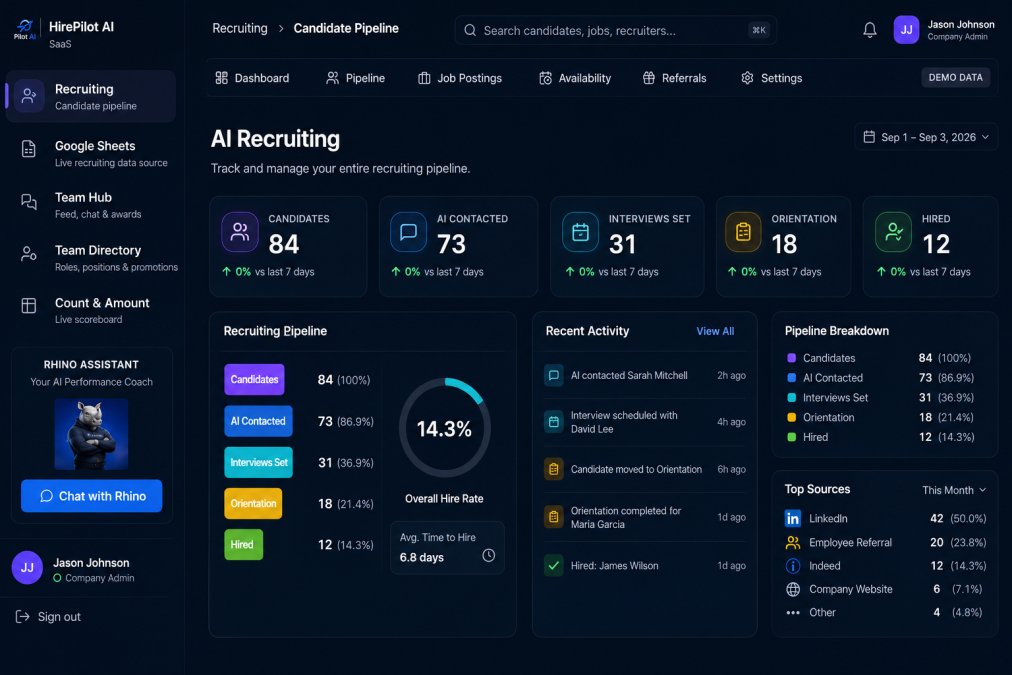
If your bottleneck is recruiting throughput rather than records, a core platform swap will not fix it. That is where an AI recruiting layer earns its place: Pilot AI handles applicant response, screening questions, interview scheduling, and reminders, then routes the conversation to your team so humans make the hiring decision. The team tracks progress in one place instead of across an inbox and a spreadsheet.
Watch out: teams often buy a new core platform expecting it to fix hiring, then discover the recruiting workflow is still manual. Test the hiring conversation separately from the records system before you sign anything.
For teams planning a switch, our guide to scaling HR systems through growth stages covers the sequencing question in more depth. If payroll integration is your specific concern, read how performance management integrates with payroll before you shortlist.
Recruiting Software for Small and Mid-Sized Businesses: Where Ciphr Leaves Gaps
Recruiting software for small and mid-sized businesses has one job above all others: keep candidates moving. A common failure is a good candidate who replied on Tuesday and heard nothing until Friday.
Three gaps often come up when teams are reviewing their hiring workflow:
- Response speed. Applicants apply to several roles at once. The first company to reply with a real conversation usually wins the candidate.
- Scheduling friction. Coordinating a hiring manager, a room, and a candidate across time zones eats coordinator hours.
- Follow-up discipline. Reminders, status updates, and next-step messages depend on someone remembering.
This is where an AI layer earns its place. Pilot AI helps handle applicant response, screening questions, interview scheduling, and reminders, then routes the conversation to your team so humans make the hiring decision.
Watch out: teams sometimes keep the old inbox workflow running alongside a new recruiting tool. Candidates then get two different experiences, and nobody owns the handoff.
Integrated HR and Payroll Systems: What to Verify Before You Switch
Integrated HR and payroll systems promise one source of truth. Verify that promise before you sign, because payroll errors are expensive and hard to unwind. Ask three questions: does the platform calculate payroll in-house or pass data to a partner, how are pay changes and retroactive adjustments handled, and what happens to historical records during migration.
Data migration deserves its own scrutiny. Request a sample export of your current employee records in the format the new system accepts, and confirm who owns the mapping work.
For teams planning a switch, our guide to scaling HR systems through growth stages covers the sequencing question in more depth. If payroll integration is your specific concern, read how performance management integrates with payroll before you shortlist.
Your HR System Selection Checklist
An HR system selection checklist keeps the evaluation honest. Score each vendor against the same criteria, and weight the criteria before you see any demo. Otherwise the best-presented demo wins by default.
- Applicant response time: can the system reply to a new applicant automatically?
- Screening questions: configurable per role, or fixed?
- Interview scheduling: does it coordinate calendars without a coordinator?
- Reminders and follow-up: automated, or manual?
- Employee records and core HR administration: covered, or needs a second system?
- Attendance and time tracking: included or an add-on?
- Performance management: review cycles, goals, and manager visibility
- Reporting and analytics: self-service, or a support ticket?
- Integrations: which systems connect, and how deep is the data flow?
- Data portability: can you export everything, in what format?
- Implementation time: weeks or months, and who does the work?
- Total cost of ownership: subscription plus implementation plus admin hours
Score each item from 1 to 5, multiply by your weight, and total. A platform that wins on module count but scores low on response time and scheduling will cost you candidates every week.
How to Compare Ciphr Alternatives Without Getting Burned
Comparing alternatives without getting burned means pricing the whole picture, not the subscription line. Total cost of ownership for HR software includes implementation, data migration, training, and the internal hours your team spends administering the system.
Two habits separate a clean evaluation from a painful one. First, ask every vendor for the same demo scenario, built from your own workflow, not their showcase. Second, run a short pilot with real applicants before committing to a full rollout.
Watch out: long contracts with no exit clause are the most common regret we hear about. Ask what happens at month three if the system does not fit, and get the answer in writing.
Mid-sized companies also carry requirements that smaller firms do not: multiple approval layers, manager self-service, and reporting that stands up to scrutiny. Write those requirements down before any demo and score against them.
Get a Free Recruiting Audit Before You Commit
Before you commit budget to any platform, find out where your hiring process actually leaks. A free recruiting audit reviews applicant response, follow-up, scheduling, and potential recruiting bottlenecks, so you know whether your problem is the software or the workflow around it.
You can request your free recruiting audit and get a clear read on where candidates may drop out of your process. Pilot AI offers AI-powered applicant response, screening questions, interview scheduling, reminders, and follow-up, with performance tracking so managers can see what is working. Humans still make every hiring decision.
Get started with Pilot AI and see where your recruiting process stands before you sign anything.
Frequently Asked Questions
What are the best alternatives to Ciphr for mid-sized companies?
The right shortlist depends on whether you need a core HR platform or stronger recruiting support. Established options to research include UKG Pro, Personio, and Zoho People. If your bottleneck is applicant response and interview scheduling rather than payroll administration, add a recruiting-focused tool such as Pilot AI to the evaluation. Compare verified features, implementation effort, and total cost of ownership before deciding.
What should a mid-sized company look for in an HR software alternative?
Start with the workflows that cost you the most time: employee records, attendance tracking, payroll inputs, and recruiting follow-up. Confirm the vendor supports your headcount range and that implementation does not require months of internal work. Ask for a written scope covering data migration, integrations, support response times, and contract exit terms. Run the same questions past every vendor so the comparison is like-for-like.
Can recruiting software work alongside an existing HR system?
Yes. Many mid-sized companies keep their core HR platform for records and payroll and add recruiting software for small and mid-sized businesses to handle applicant response, screening questions, interview scheduling, and reminders. The key is to agree on where candidate data lives and how new hires hand off to onboarding. Confirm data portability and integration depth in writing before you sign.
How do you compare HR systems for a growing company?
Use a weighted scoring sheet. Score each vendor on feature fit, implementation time, integration depth, data migration effort, ease of use, support, and total cost of ownership. Weight the criteria by what matters most at your current headcount and your planned headcount in 12 months. Then run a short pilot on your real workflows, such as a live interview scheduling round, before committing budget.
The challenge is not finding another platform with more modules. It is finding the one that keeps candidates moving while your team stays focused on the work. Pilot AI handles applicant conversations, scheduling, reminders, and follow-up in one place, with performance tracking that gives managers visibility. Get started with Pilot AI and run the free recruiting audit first.