 Listicle
What Is the Best HR Software for 500 Employees in 2026?
Last Updated: November 19, 2026
Quick Summary
The best HR software for 500 employees depends on your biggest bottleneck: payroll-first companies should start with Paylocity or ADP, hourly-heavy operations should look hard at UKG, budget-constrained teams can screen Zoho People, and recruiting-constrained teams may find Pilot AI a useful place to start.
- At 500 employees, HR software becomes infrastructure as spreadsheets duplicate and approvals stall.
- Total cost of ownership includes subscription fees, implementation, data migration, add-on modules, and year-two renewal.
- Map every pay group and jurisdiction to the payroll module before signing any contract.
- Ask for a data migration plan with named owners, a data-cleaning step, and a rollback path.
- Get implementation timeline and total cost of ownership in writing, including year two.
Table of Contents
- Why 500 Employees Is a Turning Point for HR Software
- Quick Comparison: Best HR Software for 500 Employees in USA
- 1. Pilot AI: Best for AI-Powered Recruiting and Performance Tracking
- 2. HiBob: Best for Mid-Market Employee Experience
- 3. Paylocity: Best for Payroll and Compliance Integration
- 4. ADP Workforce Now: Best for Established Payroll and HR Support
- 5. UKG: Best for Workforce Management and Time Tracking
- 6. Zoho People: Best for Budget-Conscious HRIS
- How We Evaluate HR Software at 500 Employees
- The Bottom Line
- Frequently Asked Questions
Why 500 Employees Is a Turning Point for HR Software
At 500 employees, the best HR software for 500 employees stops being a convenience and becomes infrastructure. Spreadsheets duplicate, approvals stall, and payroll questions land in one person's inbox.
The bigger shift is structural. A 500-employee company often runs several pay groups, multiple states, hourly and salaried staff, and a benefits open enrollment that touches everyone at once.
Below, we show how we evaluate each platform, what it costs to own at this headcount, and the migration traps most buyers discover too late. For deeper architecture decisions, see our guide to scaling HR systems for growth stage.
Quick Comparison: Best HR Software for 500 Employees in USA
Here is a shortlist of HR software options for a 500-employee company, ordered by fit for a mid-market workforce. Pricing for most of these platforms depends on modules, headcount, and implementation scope, so check each vendor directly for current pricing.
| Platform | Best For | Core Strength | Pricing Model |
|---|---|---|---|
| Pilot AI | AI recruiting and performance tracking | Applicant response, scheduling, performance monitoring | Custom quote |
| HiBob | Mid-market employee experience | Engagement and people data | Contact for pricing |
| Paylocity | Payroll and compliance integration | Payroll processing, benefits administration | Contact for pricing |
| ADP Workforce Now | Established payroll and HR support | Payroll depth and service | Contact for pricing |
| UKG | Workforce management | Time and attendance, scheduling | Contact for pricing |
| Zoho People | Budget-conscious HRIS | Core HRIS at a low entry point | Published per-employee rate; confirm billing period and plan inclusions |
A platform that wins on payroll may lose on recruiting, so decide which problem hurts most.
What Total Cost of Ownership Actually Includes at 500 Employees
Total cost of ownership at 500 employees is usually the sum of several separately quoted line items:
-
Subscription fees. Usually priced per employee per month, but tiered by module. A core HRIS rate and a payroll-plus-benefits rate are different products with different math.
-
Implementation and configuration. A one-time professional-services fee that scales with the number of pay groups, locations, and custom workflows you need mapped.
-
Data migration. Moving employee records, historical payroll, and benefits elections out of your current system. Often quoted as a separate statement of work.
-
Year-two renewal. The number that matters most and appears in the fewest proposals. Ask for it in writing before you sign.
Normalize every quote to the same scope, same headcount, pay groups, modules, and support tier, so you are comparing like with like.
How Workforce Profile Changes the Shortlist
A 500-employee company is not one buyer. The right platform depends on how your people are paid and where they sit:
- Hourly-heavy operations, home services, cleaning, field sales, dental offices with multiple locations, put time and attendance, scheduling, and leave management at the center. Workforce management depth matters more than engagement features.
- Multi-state employers need payroll and compliance that handle jurisdiction-by-jurisdiction tax rules and benefits requirements. Confirm the platform supports every state you operate in before you shortlist it.
- Distributed or remote teams tend to weight employee self-service, engagement, and clean people data higher than time clocks.
If your bottleneck is applicant response and scheduling rather than payroll, a recruiting-focused tool paired with a payroll provider often beats forcing one platform to do both. Get a Free Recruiting Audit to see where your applicant response, follow-up, and scheduling actually break down before you commit to a platform.
1. Pilot AI: Best for AI-Powered Recruiting and Performance Tracking
Pilot AI is a fit for companies whose bottleneck is hiring and manager follow-through, not payroll.
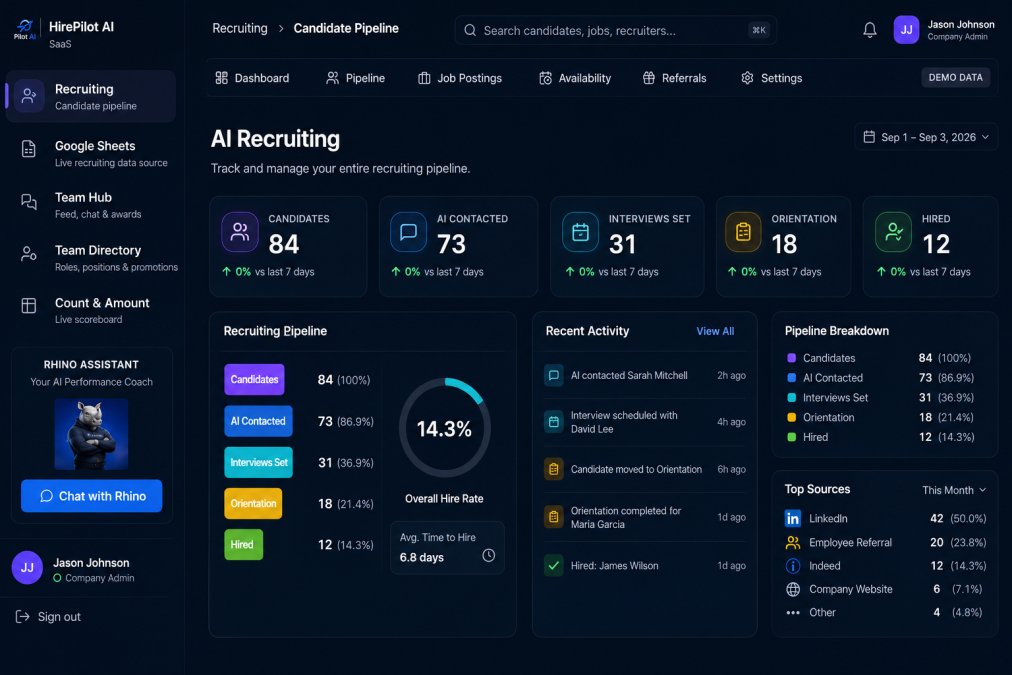
Recruiting delays usually come from silence, not sourcing. An applicant responds, the AI helps handle the conversation and scheduling, your team tracks progress, and your people make the hiring decisions.
Best for: growth-stage companies hiring steadily across field sales, home services, cleaning, or dental offices. Skip if: your primary need is payroll processing across many states, which may be better served by a payroll-first platform.
Pilot AI is not a payroll engine, so companies that need payroll typically pair it with a payroll provider. Our comparison of top performance management tools and our guide to spotting and reducing AI bias in recruitment software both help you pressure-test the decision.
2. HiBob: Best for Mid-Market Employee Experience
HiBob earns its place when culture and retention matter as much as administration. HiBob is a mid-market platform with an employee-focused interface.
Where it may fit: distributed or remote workforces that want employee self-service, engagement tools, and clean people data in one place. Where it falls short: our supplied research does not verify specific feature depth or pricing for a 500-person organization, so treat HiBob as a platform to evaluate rather than a confirmed fit.
3. Paylocity: Best for Payroll and Compliance Integration
Paylocity is generally associated with payroll processing and benefits administration alongside core HR, which can reduce the number of systems holding employee records. Confirm module coverage for your own setup.
Confirm Paylocity's feature set, pricing, and implementation scope for your headcount directly with the vendor. If payroll integration is your deciding factor, our article on integrating performance management with payroll walks through the data flow you will need.
4. ADP Workforce Now: Best for Established Payroll and HR Support
ADP Workforce Now is an established HR software option. Companies that value payroll processing, tax handling, and compliance management often evaluate it first.
What to weigh: scale cuts both ways, and configuration may feel rigid when your workflows are unusual. The supplied results do not verify specific features, pricing, or suitability for 500 employees, so scope a demo around your pay groups and reporting needs before committing.
5. UKG: Best for Workforce Management and Time Tracking
UKG is a workforce management option that may suit teams where time and attendance, scheduling, and leave management drive daily operations. For home services, cleaning, and field sales teams with hourly employees across sites, workforce management is not a side feature, it is the system.
The trade-off can be complexity, and workforce management suites are generally better suited to teams with dedicated HR operations staff. The supplied research does not verify product-specific features or pricing at 500 employees, so plan a scoped evaluation.
6. Zoho People: Best for Budget-Conscious HRIS
Zoho People is one option to screen for companies that need core HRIS functions, employee records, and self-service.
Confirm the billing period, plan inclusions, and what a 500-employee deployment would cost directly with the vendor before treating any published rate as a budget.
How We Evaluate HR Software at 500 Employees
A useful evaluation can weigh five criteria: recruiting and manager workflow, payroll and compliance, integration depth, security and access controls, and total cost of ownership. Below is what each means at this headcount, so you can run the same evaluation yourself.
1. Recruiting and Manager Workflow
At 500 employees, hiring is continuous rather than episodic, and slow follow-up compounds. We look at how an applicant response is handled, whether interview scheduling happens without a back-and-forth email chain, and whether managers can see where each candidate stands. The process we look for: an applicant responds, the system helps handle the conversation and scheduling, the team tracks progress, and humans make the hiring decisions.
2. Payroll and Compliance
Map every pay group and jurisdiction to the payroll module before signing. A 500-employee company typically runs several pay groups, multiple states, and a mix of hourly and salaried staff. Ask how the platform handles multi-state tax registration, benefits eligibility rules, and changing regulatory requirements, and confirm it supports every state you operate in.
3. Integration Depth and Data Ownership
The question is not whether a platform integrates, but which system is the source of truth. Employee records, payroll, benefits, finance, identity, and time systems all touch the same people data. Ask which systems share data, in which direction, and who owns the record when two systems disagree. A platform that syncs reliably in one direction is worth more than one that claims two-way sync you have to maintain yourself.
4. Security, Privacy, and Access Controls
This is the area most roundups skip and most buyers underweight. Ask for role-based permissions by location and department, audit trails that show who changed what and when, and a clear data retention policy. Request security documentation in writing. At 500 employees, HR data spans payroll, health benefits, and personal information, so access controls are not a nice-to-have.
5. Total Cost of Ownership
Normalize every quote to the same scope: same headcount, same pay groups, same modules, same support tier. Get implementation timeline and total cost of ownership in writing, including year two. A lower subscription rate with a heavier implementation and migration bill may not be the cheaper platform.
Implementation and Data Migration: The Step Most Buyers Underestimate
Data migration at scale is where timelines slip. Budget for manager training too; our guide on training managers on new HR software covers the rollout sequence that sticks.
Ask them to scope migration against a sample of your actual data.
Use this checklist when you run your own evaluation:
- Confirm the platform holds employee records as the source of truth, with role-based permissions by location and department
- Map every pay group and jurisdiction to the payroll module before signing
- Test reporting and workforce analytics against a real board-level question
If recruiting follow-through is your real constraint, Get a Free Recruiting Audit, a review of applicant response, follow-up, scheduling, and potential recruiting bottlenecks, before you commit to a full HRIS rollout.
The Bottom Line
No single platform wins on every criterion, and that is the honest answer to the best HR software for 500 employees question. Payroll-first companies should start with Paylocity or ADP.
If your hiring process stalls on slow follow-up and scheduling back-and-forth, that is a fixable operational problem. Pilot AI handles applicant conversations, interview scheduling, and performance tracking so your team spends its time on decisions, not admin.
Frequently Asked Questions
What should a 500-employee company look for in HR software?
At 500 employees, look for a system that centralizes employee records, automates payroll and benefits, and supports recruiting and onboarding. Scalability matters: the platform should handle growth without requiring a switch. Check integration depth with your existing tools, role-based permissions for data security, and reporting that gives managers visibility. Also evaluate implementation support and total cost of ownership, not just the sticker price. Pilot AI, for example, focuses on AI-powered recruiting and performance tracking, which can complement a core HRIS.
What is the difference between HR software and an HRIS?
HR software is a broad term for any tool that helps manage people processes, such as recruiting, payroll, or time tracking. An HRIS (Human Resources Information System) is a specific type of HR software that serves as the central database for employee records and core HR functions. Many modern platforms combine HRIS with payroll, benefits, and talent management. When evaluating options for 500 employees, confirm whether the vendor provides a true HRIS or a collection of separate modules.
How do you choose an HR system for a midsize company?
Start by mapping your current processes: payroll, benefits, recruiting, onboarding, time and attendance, and performance reviews. Identify which are manual or error-prone. Then define must-have integrations with your existing payroll, accounting, and productivity tools. Request demos from vendors that serve companies your size and ask for references. Compare total cost of ownership over three years, including implementation and support. Pilot AI can help with recruiting and performance tracking, but you still need a core HRIS for records and payroll.
Is HR being replaced by AI?
AI is automating repetitive HR tasks like screening applicants, scheduling interviews, and answering routine questions, but it is not replacing HR professionals. Instead, it shifts their focus to strategic work: workforce planning, employee relations, and culture. At 500 employees, AI can reduce administrative burden and speed up response times. Pilot AI, for instance, handles applicant conversations and scheduling so hiring managers can make final decisions. Human judgment remains essential for hiring and performance management.