
 How-to
How Do You Train Managers on New HR Software?
Last Updated: November 10, 2026
Quick Summary
Train managers on new HR software by treating it as a change-management project, not a software demo. Build role-based HR software training around the tasks each manager does weekly, use hands-on practice with realistic scenarios, and support them with office hours after launch.
- Write 5-8 observable learning objectives per manager role, each tied to a real weekly or monthly task.
- Give each hiring manager one practice requisition start to finish, then repeat it alone.
- Run pre-launch sessions two to three weeks out, with a sandbox ready before you announce the schedule.
- Keep launch day small: approve one request, update one record, or schedule one interview.
- Hold weekly 15-minute office hours from weeks two through six and retrain where use is low.
Table of Contents
- Why Manager Training Decides Whether Your HR Software Rollout Succeeds
- Start With Learning Objectives, Not a Feature Tour
- Build an HR Software Training Plan by Manager Role
- HRIS Training for Managers: A Pre-Launch, Launch-Day, and Post-Launch Timeline
- Hands-On Practice With Realistic Manager Scenarios
- Write an HR Software User Guide for Managers People Actually Open
- Measure Proficiency and HR Software Rollout and Adoption
- Troubleshooting, Change Resistance, and Ongoing Support
- Frequently Asked Questions
Why Manager Training Decides Whether Your HR Software Rollout Succeeds
Most HR software rollouts don't fail because the tool is bad.
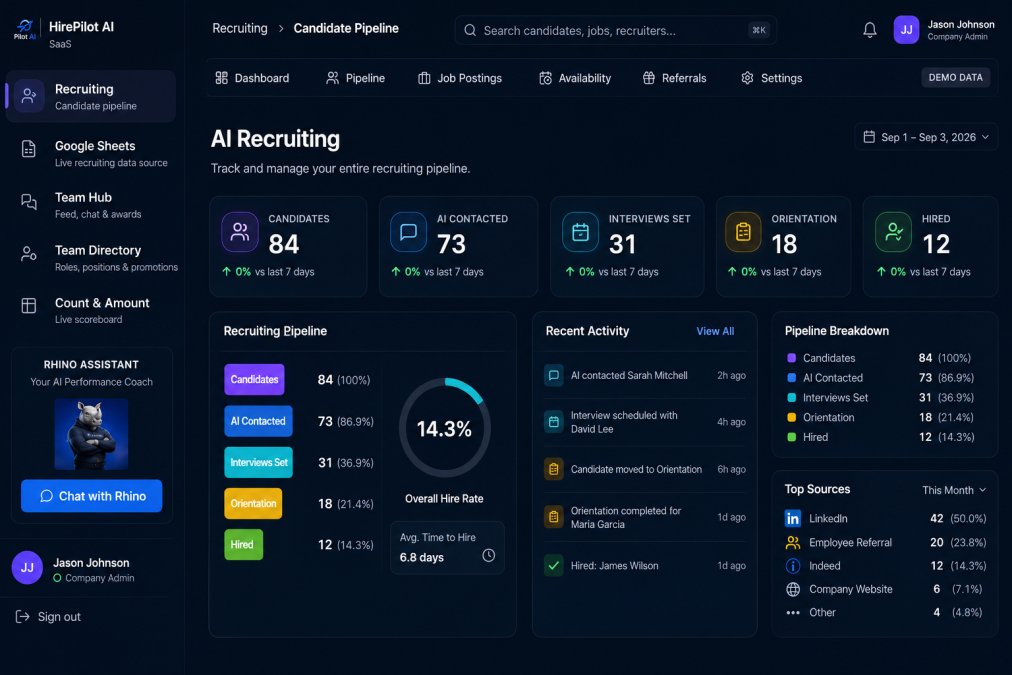
A platform can automate applicant response, scheduling, and performance tracking, but adoption depends on managers.
HR buys the software. Managers decide whether it gets used. That gap is where most rollouts leak value.
- HR sees a system. Managers see one more login on a busy Tuesday.
- HR measures features. Managers measure whether their week got easier.
- HR celebrates launch day. Managers are still doing their old process in a spreadsheet.
So the goal of HR software training isn't feature knowledge. It's confidence.
Train for the manager's actual week, not the vendor's feature list.
SHRM guidance on technology adoption and change management
Start With Learning Objectives, Not a Feature Tour
A feature tour teaches buttons. Learning objectives teach outcomes. Before anyone opens the software, write down what a manager should be able to do when training ends.
Good objectives are verbs you can observe:
- Open and submit a hiring requisition without help
- Schedule an interview and send the candidate a confirmation
- Complete a performance review and share it with the employee
Notice what's missing: no "understand the dashboard" or "explore the settings menu." Those aren't goals. They're vague wishes.
A common mistake is building training around the vendor's menu structure.
Write 5-8 objectives per manager role, each tied to a real weekly or monthly task. Every exercise, guide, and check-in should point back to one of those objectives. If a topic doesn't map to an objective, cut it.
This one habit does more for HR software training than any slide deck.
Build an HR Software Training Plan by Manager Role
A single training path for every manager wastes everyone's time. A hiring manager in a dental office, a field sales lead, and an office manager at a home services company all touch the same HR software, but they touch different screens for different reasons.
Start by listing the five to eight tasks each manager role completes weekly or monthly. Then group those tasks into a short training track per role. The table below is a starting map you can adapt; it is a hypothetical example, not a prescription.
| Manager role | Core tasks to train | Practice focus | Success check |
|---|---|---|---|
| Hiring managers | Open a requisition, review applicants, schedule interviews, leave structured feedback | Run one full hiring loop from applicant response to interview confirmation | Manager completes one live requisition unaided |
| People managers | Set goals, log check-ins, complete reviews, share feedback | Complete a mock review cycle with one direct report | Manager submits a review without help |
| Department heads | Pull team reports, approve requests, review permissions, read key metrics | Pull a report and clear a batch of approvals | Manager reads the report and explains two numbers |
| Office managers (small teams) | Update employee records, manage schedules, route requests | Update a sample employee record and route one request | Manager updates a record and confirms the change |
Hiring Managers: Requisitions, Interview Scheduling, and Feedback
Hiring managers live in the recruiting side of the system. Train them to open a requisition, review applicants, schedule interviews, and leave structured feedback.
Have each hiring manager run one practice requisition start to finish with a sample candidate, then repeat it alone so the second rep builds confidence.
Watch out: if the practice requisition uses live candidate data, managers may hesitate to click around.
People Managers: Reviews, Goals, and Performance Conversations
People managers need the review and goal features. Train them to set goals, log check-ins, and complete a review without hunting for the submit button.
A practical exercise: give each people manager a sample employee with three goals and one missed deadline, then ask them to log a check-in, draft a review comment, and share it.
If your team wants to tighten this up, our guide on fixing inconsistent performance reviews shows how to keep managers aligned. And if you want reviews to feed real growth, see integrating performance reviews with training.
Department Heads: Reports, Permissions, and Approvals
Department heads need the view from above. Train them to pull team reports, read the numbers, approve requests, and understand who can see what. This is also where data handling belongs.
Keep this session short. Department heads need the three or four screens they open each week, not every feature. A 20-minute walkthrough with one live report and one approval batch is usually enough.
Small-Team and Frontline Managers: Records, Schedules, and Requests
Not every manager sits at a desk all day. In cleaning, home services, field sales, and dental offices, the manager may be the office manager or the team lead who also handles scheduling and employee records.
Use short videos and one-page job aids for this group, because they are often on their feet. A two-minute video on updating a record is more useful than a 45-minute webinar.
Map Every Task to a Training Objective
Once the role tracks are set, tie each task to one observable objective. If a task does not map to an objective, cut it from the training. This keeps sessions short and prevents the plan from turning into a feature catalog. A manager who can complete their core tasks unaided is the real measure of a training plan that works.
HRIS Training for Managers: A Pre-Launch, Launch-Day, and Post-Launch Timeline
Timing decides whether HRIS training for managers sticks. Cram it all into launch week and people forget by Friday. Spread it across three phases with named owners and checkpoints, and it holds. The schedule below is a hypothetical example you can adjust to your team size.
Pre-Launch (Two to Three Weeks Out)
- Owner: HR lead with one manager champion per team.
- Milestone: Every manager completes a 30-minute role-based session on their core tasks.
- Checkpoint: Managers can name the three tasks they will do first in the new system.
Send the note first, then run the sessions. Managers who read it first ask better questions and need less follow-up.
Watch out: if the sandbox is not ready two weeks out, managers practice on live data and hesitate. Confirm sandbox access before you announce the schedule.
Launch Day
- Owner: HR lead plus one power user per team.
- Milestone: Each manager completes their first real task in the system, not a demo.
- Checkpoint: The task is done and the manager knows where to get help.
Keep the first task small: approve one request, update one record, or schedule one interview. A small day-one win does more for adoption than a full walkthrough.
Post-Launch (Weeks Two Through Six)
- Owner: HR lead with the manager champion.
- Milestone: Weekly 15-minute office hours and a one-question check-in.
- Checkpoint: Review adoption signals each week and retrain where use is low.
A common pattern is to see a spike in logins in week one and a dip in week three. The dip is normal. The weekly check-in catches it before it becomes a habit of going back to the old spreadsheet.
What to Measure at Each Phase
Use the same signals across phases so you can compare: task completion, time-to-completion, support-ticket volume, and active usage. A manager who completes a task quickly but opens three tickets is not yet confident. A manager who completes it slowly with no tickets is on track.
Most rollout guides cover the tool and forget the calendar. A simple timeline with owners and checkpoints keeps momentum without overwhelming anyone.
Hands-On Practice With Realistic Manager Scenarios
Managers learn software by doing, not watching. Build practice around scenarios pulled from your own week.
Try these exercises:
- The ghosted candidate. An applicant stops responding. Practice sending a follow-up and rescheduling.
- The rushed review. A review is due tomorrow. Practice completing it and sharing it.
- The approval pileup. Five requests need approval. Practice clearing them in one pass.
Run each scenario twice: once with help, once alone. For more ways to keep managers engaged, see our piece on improving employee training engagement.
Watch out: don't let practice turn into a lecture. If the facilitator is talking more than the managers are clicking, the session is failing.
Write an HR Software User Guide for Managers People Actually Open
A good HR software user guide for managers is short, task-based, and searchable. Most guides fail because they're organized like the software, not like the manager's day.
Build yours around tasks, not menus:
- One page per common task, with screenshots
- A "start here" page with the five most-used actions
- A short troubleshooting section at the end
Keep each page to one screen, use plain language, and skip the vendor's marketing copy.
Put the guide where managers already look: a pinned link in team chat, a browser bookmark, a line in the onboarding checklist.
Measure Proficiency and HR Software Rollout and Adoption
You can't improve what you don't measure. Track two things: whether managers can do the tasks, and whether they actually do them.
For proficiency, run a short practical check. Ask each manager to complete three core tasks unaided. Pass or needs practice. No grades, no pressure.
For adoption, watch the signals inside the system: logins, tasks completed, approvals cleared, reviews submitted on time.
If you want to see how automation lightens the admin load that slows adoption, read our guide on reducing administrative HR burden with automation. And when you're ready to see the workflow in action, here's how to book a demo for HR automation software.
Troubleshooting, Change Resistance, and Ongoing Support
Resistance is normal. A manager who says "the old way was faster" isn't being difficult.
- "I don't have time." Show the time saved on one task, then stop.
- "It's confusing." Retrain on that one task, not the whole system.
- "I forgot my login." Fix access fast. Friction kills adoption.
Keep support alive after launch. Weekly office hours and a named go-to person per team cover most needs.
The difference between a rollout that sticks and one that fades is follow-through.
Managers adopt new HR software when training fits their actual work, and that's the problem Pilot AI is built to solve.
Frequently Asked Questions
How long should HR software training take for managers?
Plan for a phased timeline rather than a single session. A practical structure is two to three weeks of pre-launch preparation, a launch day with hands-on practice, and four to six weeks of follow-up coaching. Plan for structured sessions and short weekly check-ins sized to each manager's workload. The exact length depends on how many workflows they own. Managers who only approve time off need far less than hiring managers running requisitions and interviews every week.
What should be included in an HR software training plan?
A complete HR software training plan covers four parts. First, learning objectives tied to each manager role. Second, a schedule that separates pre-launch prep, launch-day practice, and post-launch support. Third, hands-on exercises using realistic scenarios like approving a requisition or scheduling an interview. Fourth, a way to measure progress, such as task completion in the system. Add a short user guide and a named support contact so managers know where to get help after training ends.
How do you measure whether managers have learned new HR software?
Measure behavior in the system, not quiz scores. Track whether managers complete core tasks on their own, such as submitting a requisition, scheduling an interview, or finishing a review. Watch training completion and adoption rates by team, and note how often managers ask for help with the same step. Short follow-up surveys help too. If several managers struggle with the same workflow, the training needs adjusting, not the managers.
How can you encourage managers to use a new HR system?
Connect the software to work managers already dislike doing manually. Show how automated scheduling, reminders, and applicant follow-up cut the back-and-forth emails. Give them practice time before launch so the first real use is not their first attempt. After launch, recognize teams that adopt quickly and share what worked. Managers also respond when leadership uses the system consistently, so make sure executives complete their own tasks in it.