 How-to
How to Reduce Administrative HR Burden With Automation
Last Updated: November 8, 2026
Quick Summary
You reduce HR burden by auditing your hiring workflow first, then automating only the repeatable, rule-based steps such as applicant response, screening questions, interview scheduling, and follow-up. Roll automation out in phases with a named owner for each step, and keep humans in charge of every hiring decision.
- List each hiring task, who does it, and how long it takes before buying any software.
- Automate the front of the funnel for one role or one location as your pilot.
- Keep human approval for anything that changes a candidate's status.
- Track reply time, admin hours, scheduling time, and candidate drop-off before and after.
- Fix a broken workflow before automating it, or mistakes just happen faster.
Table of Contents
- Why Manual HR Tasks Drain Your Team
- Audit Your HR Workflows Before You Automate
- HR Automation Best Practices That Hold Up at Scale
- How Automated Interview Scheduling Cuts the Back-and-Forth
- Recruiting Follow-Up Automation That Keeps Candidates Warm
- Choosing HR Automation Tools That Fit Your Team
- Measuring Hours Saved and Keeping Humans in the Loop
- Get a Free Recruiting Audit Before You Buy Anything
- Frequently Asked Questions
Why Manual HR Tasks Drain Your Team
HR burden is the total weight of repetitive people work: posting roles, chasing replies, booking interviews, filing records, and answering the same questions week after week. It rarely shows up as one big problem. It quietly eats the hours your team needs for hiring and retention.
At Pilot AI, we see the same pattern across field sales teams, home services companies, cleaning operations, and dental offices. A hiring manager posts a role, then spends the next two weeks copying answers into a spreadsheet. Candidates wait. Some give up.
The cost is not just time. Slow replies lose good applicants, and manual data entry creates errors that follow people into onboarding. Many businesses find that the fix is not more staff. It is a smarter process.
Here is what we will cover: how to audit your workflows, where automation actually helps, and how to keep humans in charge of hiring decisions. The goal is a smaller HR burden, not a team that feels replaced.
Audit Your HR Workflows Before You Automate
Start by writing down every step between "applicant responds" and "offer accepted." Most teams skip this and jump straight to buying software. That is the mistake.
A practical audit takes one afternoon:
- List each task in your hiring and onboarding flow
- Note who does it and how long it takes
- Mark tasks that repeat the same way every time
- Flag steps where candidates wait on your team
- Note where errors or missed follow-ups happen
Repeatable, rule-based steps are your best automation candidates. Judgment calls, like final interviews, stay with people. For a deeper walkthrough of mapping talent acquisition processes, see our guide on implementing AI in talent acquisition workflows.
HR Automation Best Practices That Hold Up at Scale
The best HR automation best practices share one trait: they automate the conversation, not the decision. AI can reply to applicants, ask screening questions, and book interviews. A person still reviews and chooses.
Here is a phased roadmap you can run without a dedicated IT team. Adjust the timing to your hiring volume.
Phase 1, Map and clean (weeks 1-2). Owner: office manager or hiring lead.
Phase 2, Automate the front of the funnel (weeks 3-4). Owner: hiring lead, with a manager as backup. Start with automated applicant response, screening questions, and interview scheduling for one role or one location.
Phase 3, Add reminders and follow-up (weeks 5-6). Owner: whoever owns the schedule. Set automated nudges to hiring managers when a review sits too long, confirmations when an interview is booked, and status updates when a decision is delayed.
Phase 4, Extend to onboarding handoffs (weeks 7-8). Owner: office manager. Once a candidate accepts, automate the routine handoff, collecting details, sending first-day instructions, notifying the team, while a person still makes the hire decision and handles sensitive conversations.
Phase 5, Review and adjust (ongoing, monthly). Owner: business owner or operations lead. Check the numbers from your measurement section, retire steps nobody uses, and add the next repeatable workflow only when the current one is stable.
Three practices keep this from collapsing as you grow:
- Standardize first, then automate. Clean steps automate well; messy ones just fail faster.
- Keep one source of truth. Candidate status should live in one place your whole team can see, so nobody works from a stale spreadsheet.
- Name an owner for every automated step. Unowned automation quietly breaks when the person who set it up changes roles.
Change management matters as much as the software. Tell your team what the automation will and will not do, show them where the human decision still sits, and give them a simple way to flag a bad automated message.
Watch out: rolling out every workflow at once makes it impossible to tell which change helped and which one broke, so pilot one role or location before expanding.
For teams scaling quickly, our step-by-step playbook on automating high-volume recruitment covers the full sequence.
How Automated Interview Scheduling Cuts the Back-and-Forth
Automated interview scheduling lets a candidate pick a time that works from your team's open slots, without a chain of emails. Pilot AI's AI helps handle the back-and-forth and scheduling, while your team keeps control of the process.
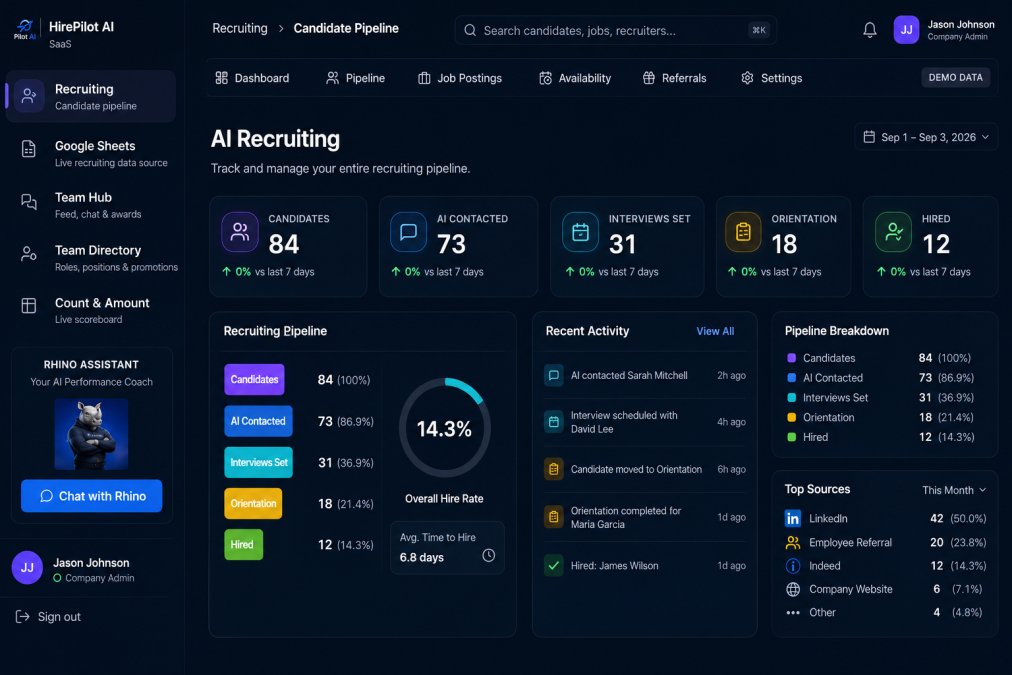
This is where most of the hidden HR burden lives. A single interview can take four or five messages to lock in. Multiply that by a full hiring round and the hours add up fast.
The practical wins:
- Candidates can book without a long email thread
- Hiring managers see a clean schedule instead of an inbox thread
For a dental office hiring a new hygienist, that means the front desk can spend less time on phone tag and more time with patients.
Recruiting Follow-Up Automation That Keeps Candidates Warm
Recruiting follow-up keeps candidates informed at each stage: application received, interview confirmed, decision pending. Your team stays in control of what each message says.
Silence is the quiet killer of hiring. Good applicants accept other offers while waiting to hear back. Automated follow-up fixes that gap.
Consider rules like these:
- Send a confirmation soon after an application comes in
- Remind hiring managers when a review sits too long
- Send a polite status update if a decision is delayed
- Close the loop with every candidate, hired or not
The human touch still matters. Use your team's judgment for the messages that carry real news.
Choosing HR Automation Tools That Fit Your Team
HR automation tools should reduce work, not add a new system your managers must learn. Judge each option against your actual workflow, not a feature list. The buying questions below cover the practical risks competitors often skip: integration, data migration, security, and the cases where you should keep a human in the loop.
Start with a decision framework: what to automate and what to leave alone. Automate work that is repetitive and rules-based, confirming an application, asking the same screening questions, offering open interview slots, sending reminders, and routine status updates.
Ask these questions before you commit:
- Can it handle your specific hiring steps, like multi-stage interviews or reference checks, without workarounds?
- Does it connect to the tools you already use, your calendar, email, applicant tracking, payroll, and timekeeping, or does it stack on top and create a second place to check?
- What does data migration look like? Who cleans up duplicate or incomplete records, and what happens to in-flight candidates during the switch?
- How long is setup, and who owns it day to day?
- What access controls, audit trails, and data-retention settings does it offer, and where is candidate data stored?
- What happens to your data if you leave?
Integration and data migration deserve their own plan. Most headaches come from connecting systems, not from the automation itself. Before you switch on anything, export your current candidate and employee records, remove duplicates, and agree on one source of truth.
Treat privacy and governance as part of the buying decision. Ask how the tool limits who can see candidate data, how long records are kept, and whether it logs who changed what.
Small teams and tight budgets can still start small. You do not need an enterprise suite or a dedicated IT team. Begin with the single workflow that costs you the most time, often applicant response or interview scheduling, prove it works for one role, and expand only when it is stable.
A common mistake is buying for the demo and ignoring the daily use. If you are weighing a vendor, our guide on how to book a demo for HR automation software explains what to ask.
Watch out: switching tools mid-hiring-round without a migration plan can strand active candidates in the old system, so finish or export in-flight applicants before you cut over.
Measuring Hours Saved and Keeping Humans in the Loop
You cannot manage what you do not measure. Track a few simple numbers before and after you automate:
| What to Measure | How to Track It | Why It Matters |
|---|---|---|
| Reply time to applicants | Time from application to first response | Faster replies keep candidates engaged |
| Hours on admin tasks | Weekly team estimate | Shows real time reclaimed |
| Interview scheduling time | Days from shortlist to booked slot | Reveals back-and-forth drag |
| Candidate drop-off | Applicants lost at each stage | Spots where the process loses people |
| Follow-up completion | Share of candidates contacted on time | Confirms nothing slips through |
Keep humans in the loop on every decision that affects a person's future. AI gathers information and moves the process forward. Your team reviews, interviews, and hires. That balance protects candidates and keeps your judgment where it belongs. As you plan for growth, our guide on scaling HR systems for growth-stage companies covers keeping oversight as you expand.
Watch out: automating a broken process just produces faster mistakes. Fix the workflow first, then let AI run the clean version.
Get a Free Recruiting Audit Before You Buy Anything
Before you commit to any tool, find out where your HR burden actually comes from. A free recruiting audit reviews your applicant response, follow-up, scheduling, and potential recruiting bottlenecks, so you can see what to look at first.
Pilot AI builds AI-powered recruiting, automated training, and performance tracking into one set of tools. Our recruiting solutions help you respond to applicants and keep candidates moving through your process. Automated training and performance tracking support how your team onboards and monitors its work.
You do not need to rip out everything you use today. Start with the audit, see where the hours go, and automate the steps that matter most.
Manual HR work will not shrink on its own. The teams that get ahead are the ones that measure the drag, automate the routine, and keep people on the decisions that count. Get started with Pilot AI and request your free recruiting audit to see where your process can run lighter.
Frequently Asked Questions
How can automation reduce administrative work in HR?
It removes the repetitive steps that eat up a coordinator's day: sending the same confirmation emails, chasing interview times across time zones, logging candidate status, and reminding hiring managers to review. When an applicant responds, AI can help handle the conversation and scheduling, and your team tracks progress in one place. The time saving comes from fewer manual touches per candidate, not from cutting corners on the hiring decision itself.
Which HR tasks are best to automate first?
Start with high-volume, low-judgment work: interview scheduling, applicant reminders, status updates, document collection, and onboarding checklists. These tasks follow a predictable pattern, so automation is easy to verify. Leave screening judgments, offer decisions, and anything involving sensitive employee conversations with a person. A simple rule: if the task is mostly copying information or coordinating calendars, automate it; if it requires weighing trade-offs, keep it human.
How does automated interview scheduling work?
A candidate replies to your outreach, and the system reads the response, checks interviewer availability, and proposes times that fit both sides. Once the candidate picks a slot, confirmations and reminders go out automatically, and the booking appears on the team's calendar. Reschedules are handled the same way without a coordinator re-reading email threads. Your team still sets the rules, such as interview length and buffer time, so the schedule reflects how you actually hire.
How do you measure the impact of HR automation?
Track a small set of numbers before and after: hours spent per hire on coordination, average time from application to first interview, candidate response rates, and the share of interviews that get rescheduled. Compare a four-week baseline against the first month with automation running. Pair those with a quick team survey on workload. If coordination hours drop and response rates hold or improve, the change is working; if not, adjust the workflow rather than adding more tools.