
 How-to
Reducing Time to Hire in SaaS: A Practical Guide
Last Updated: October 23, 2026
Quick Summary
Time to hire is the number of days from a candidate's first application to their accepted offer, and reducing it in SaaS means removing dead time between steps rather than rushing decisions. Reply fast, automate screening and self-scheduling, and follow up without gaps so good candidates stay engaged.
- Agree on one definition of time to hire before comparing numbers across teams or companies.
- Segment time to hire by role family, seniority, and stage to find where days are lost.
- AI screening removes dead time between application and first review while humans make every hiring decision.
- Interview scheduling automation lets candidates self-book from real availability, cutting email back-and-forth.
- Set stage targets by role family and review the playbook weekly against actual stage times.
Table of Contents
- Why Time to Hire Decides SaaS Growth
- Time to Hire Metrics That Actually Show Progress
- How AI Candidate Screening Speeds Up Early Stages
- Interview Scheduling Automation Without the Back-and-Forth
- Candidate Follow-Up Best Practices for Busy Hiring Teams
- A Stage-by-Stage Playbook for SaaS Recruiting
- Balancing Speed, Quality, and Fairness
- Conclusion
- Frequently Asked Questions
Why Time to Hire Decides SaaS Growth
Reducing time to hire in SaaS comes down to one truth: every empty seat has a cost.
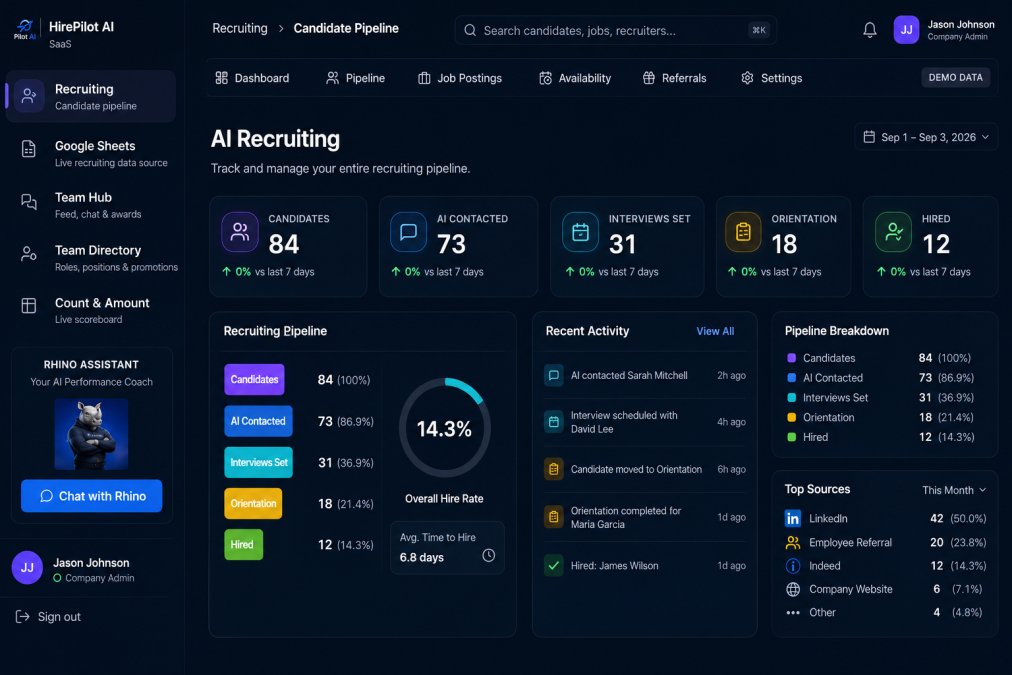
At Pilot AI, we see the same pattern across growing software companies. The bottleneck is rarely a shortage of applicants. It is slow response, scattered scheduling, and follow-up that falls through the cracks.
The first 48 hours matter most. A fast, clear reply keeps good candidates engaged. Silence loses them.
Time to Hire Metrics That Actually Show Progress
Time to hire is the number of days from a candidate's first application to their accepted offer. It measures one person's path, not the whole role. That distinction matters because it tells you where the delay sits, and it is the metric most SaaS teams report without agreeing on what it means.
Track these metrics together:
- Time to hire: days from application to accepted offer for one candidate
- Time to fill: days from job posting to a hired start date for the whole role
- Response time: how fast your team replies to a new applicant
- Time in stage: days a candidate sits in screening, interview, or offer
Definitions Worth Agreeing On First
Agree on the start and end points before you compare numbers. Some teams start the clock at application, others at job posting. Some stop at offer acceptance, others at the first day. Pick one definition, write it down, and use it everywhere.
A common mistake is comparing your time to hire against another company's without checking their definition. You end up chasing a number that means something different.
Segment the Metric So It Tells You Something
A single blended average hides the real story. Break time to hire down by role family, seniority, and stage so you can see where the days go.
- By role family: engineering, sales, customer success, and product often move at different speeds
- By seniority: senior roles usually take longer because of panel size and offer negotiation
- By stage: compare days in screening, days in interview, and days in offer separately
- By source: referrals and inbound applicants may move faster than sourced candidates
When you segment, you stop asking “why is our average high?” and start asking “which role and which stage is slow?” That is a far more useful question.
A Simple Diagnostic for Finding Bottlenecks
Use this quick check to find where time leaks.
| Stage | Question to Ask | Warning Sign |
|---|---|---|
| Application | Do applicants get a reply within a day? | Days of silence after applying |
| Screening | Are screening questions reviewed promptly? | Qualified people stuck waiting |
| Interview | How long to book a slot? | Endless email back-and-forth |
| Offer | How fast does approval move? | Offer sits with no owner |
Whichever row shows the warning sign is your first fix. Start there, not with the whole funnel.
Measure Without Guesswork
You do not need a complex dashboard to start. Pull the timestamps you already have from your applicant tracking system or inbox, and calculate days between each stage for the last several hires. If you do not track stage timestamps yet, add them before you try to improve the number.
How AI Candidate Screening Speeds Up Early Stages
AI candidate screening is the use of software to review applications and surface qualified candidates before a human reads every resume. It handles the repetitive first pass so your team spends time on real conversations.
Here is how the process works in practice:
- An applicant responds to your job listing.
- The AI reviews their answers against your screening questions.
- Strong matches move forward with a clear summary.
- Your team reviews the shortlist and makes the call.
The win is not that AI replaces judgment. It removes the dead time between application and first review. A recruiter who once spent mornings sorting resumes now starts with a ranked shortlist.
The humans still make every hiring decision. AI just clears the clutter first.
Interview Scheduling Automation Without the Back-and-Forth
Interview scheduling automation lets candidates pick a slot from your team's real availability, so no one trades emails for days (Automation Removes the Pain from Candidate Interview Scheduling).
This is where many SaaS teams lose the most time. A single interview can take several emails to lock down.
A simple setup removes most of it:
- Share real availability, not open-ended questions
- Let candidates self-book within set windows
- Send automatic reminders before each interview
- Keep one owner for rescheduling
The result is fewer no-shows and a shorter gap between screening and interview.
Candidate Follow-Up Best Practices for Busy Hiring Teams
Good candidate follow-up is the discipline of replying fast and never leaving an applicant in silence. It is the cheapest speed fix you have, and the one most teams neglect.
Try these habits:
- Send an automatic acknowledgment the moment an application arrives
- Set a clear reply window and stick to it
- Tell candidates what happens next and when
- Follow up after each interview with a status update
- Close the loop with a clear yes or no
Silence reads as rejection. Candidates who hear nothing move on to other offers. A short, honest update keeps them warm and protects your employer brand.
A Stage-by-Stage Playbook for SaaS Recruiting
A playbook beats good intentions. Map each stage, name an owner, set a target for how long it should take, and review it weekly. The SaaS twist is that different roles stall in different places, so one generic target will not fit every opening.
Set Stage Targets by Role Family
SaaS teams hire in distinct role families, and each has its own bottleneck. Use these as starting targets, then adjust for seniority and geography. They are planning ranges, not guarantees.
| Role family | Where time usually leaks | Practical stage target |
|---|---|---|
| Engineering | Take-home exercises and panel scheduling | Reply within 1 business day; schedule the panel within 3-5 days of screen |
| Sales (AE/SDR) | Rapid screen-to-interview handoff and offer approval | Screen within 1-2 days; decide within 2-3 days of final interview |
| Customer success | Coordination across time zones | Offer self-scheduling windows that span candidate availability |
| Product | Multiple stakeholder interviews | Cap the loop at 3-4 sessions and pre-book them in one pass |
These ranges are hypothetical planning examples. Most practitioners find that the biggest gains come from cutting dead time between steps, not from shortening the interviews themselves.
Step 1: Fix the Application and Screening Stage
Start with the front door. Shorten the application, ask only the screening questions that matter, and reply fast.
- Trim the form to essentials and drop fields you never review
- Ask focused screening questions tied to the role
- Auto-acknowledge every application the moment it arrives
- Review shortlists daily, not weekly
For SaaS roles, tie questions to real work. An engineering screen might ask about a recent debugging approach. A sales screen might ask how the candidate structures a territory plan. A customer success screen might ask how they handle an at-risk account.
Step 2: Tighten the Interview and Offer Stage
This is where SaaS offers stall most often, because panels are busy and approvals cross departments.
- Book interviews through self-scheduling so candidates pick from real availability
- Send the panel the candidate summary and decision criteria in advance
- Agree on decision criteria before interviews start, not after
- Name one owner for offer approval and set a feedback deadline
A stalled offer is a lost candidate. Decide quickly, communicate clearly, and keep the candidate informed while approvals move.
Step 3: Write Down the Hiring-Team Operating Model
Speed depends on clear responsibilities. Put these in writing so no step waits on an unnamed owner.
- Recruiter owns: applicant response, screening review, scheduling, and candidate communication
- Hiring manager owns: role criteria, interview panel, and the final decision
- Feedback deadline: interviewers submit notes within one business day of each interview
- Interview availability: each panelist publishes recurring slots so scheduling does not stall
- Escalation path: if a stage runs past its target, the recruiter flags it to the hiring manager the same week
A simple service-level agreement like this removes the “I thought someone else was handling it” delay that quietly adds days to every SaaS hire.
Balancing Speed, Quality, and Fairness
Speed without care is a trap. A fast hire who does not fit costs more than a slow one. The goal is a clean process, not a rushed one.
Keep three things in balance:
- Speed: remove dead time, not steps that matter
- Quality: use structured interviews and clear criteria
- Fairness: review screening logic and keep humans in the loop
AI helps most when it handles the repetitive work and leaves judgment to people. If a tool filters candidates in ways your team cannot explain, fix the tool, not the candidates.
Conclusion
The SaaS teams that hire fastest are not the ones that cut corners. They reply sooner, schedule smarter, and follow up without gaps.
Pilot AI helps teams do exactly that. Our integrated recruiting solutions handle applicant response, screening support, and scheduling so your team can focus on the conversations that matter.
Want to see where your process loses time? Get a Free Recruiting Audit with Pilot AI.
Frequently Asked Questions
How can SaaS companies reduce time to hire?
Start by measuring time to hire properly: agree on a start and end point, then track how long candidates sit in each stage. Most delays come from slow screening, scheduling back-and-forth, and hiring managers who are too busy to review. Fix those three areas first. AI candidate screening can move qualified applicants forward faster, scheduling automation removes calendar ping-pong, and structured follow-up keeps candidates engaged instead of ghosting. Small process changes usually beat big tool overhauls.
Which hiring steps most often slow down SaaS recruitment?
The screening stage and the interview scheduling stage are the usual culprits. Resumes pile up while a recruiter is in other meetings, and interview slots take days to confirm when everyone coordinates by email. Hiring manager review is another common delay, especially for technical roles where the same people interview every candidate. Track time in stage for each step. The stage with the longest average wait, not the loudest complaint, is where you should focus first.
How can AI help speed up candidate screening and interview scheduling?
AI can review incoming applications against your stated criteria, surface candidates who match the role, and help move them into the next step without waiting for a recruiter to manually sort every resume. For scheduling, automation can offer available interview times to candidates and confirm bookings without the email chain. Humans still make the hiring decision. Use AI to shorten the waiting, and keep a person reviewing edge cases and final choices so quality and fairness stay intact.
What should a SaaS hiring team track to identify recruiting bottlenecks?
Track time to hire, time in each stage, response time to applicants, application completion rate, and candidate drop-off. Add offer acceptance rate and quality of hire over time so speed does not quietly erode standards. Review these weekly with recruiters and hiring managers. If applications stall at screening, add capacity or automation there. If interviews take too long to schedule, fix calendar coordination. The numbers tell you where to act instead of guessing.